Fit
We compare your need with the existing scope and identify useful adaptations.
View all SaaS products CADRANCE AIAI, put to work.
Photos on a phone, references in a message and observations in a separate form?
For inventory, inspections or check-in and check-out condition reports, AI extracts the agreed visible information and organises it into a record.
Review and complete the prepared information instead of typing it all again.
Vehicle intake at a garage is one use case.
AI photo capture · Inventory, inspections and condition reports
Need to record what is present without typing everything?
Photograph the items and define which information to extract to prepare a list for review.
Handing over or taking back premises, an item or equipment?
Bring photos and useful information together to prepare an entry or return record, then review your observations.
Documenting a visit or an on-site check?
Prepare the record’s references, visible information and observations from the selected photos.
For a property check-in or check-out, you photograph areas and objects.
The information to capture is agreed before taking the photos.
This example explains the intended workflow.
It is not a client record or a measured result; the scope is agreed with you.
Start with a record to review instead of re-entering everything after each visit.
Teaching example · fictional data · no actual product execution
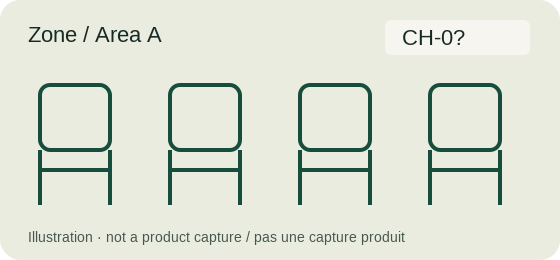
The expected record contains four visible chairs.
The complete reference stays blank: CH-0?
does not justify guessing the final character.
Your team confirms the reference and condition on site, then completes the record.
Use the same approach for stock, equipment or a check-in/check-out condition report: define useful fields, retain uncertainty and check what the image does not show.
Example authored by Cadrance AI on 6 November 2026.
The files explain the expected reasoning; they demonstrate neither software performance nor a customer gain.
No.
The scope can cover inventories, equipment, inspections and check-in or check-out condition reports.
Vehicle intake at a garage is one use case.
No.
Readability, angles and visible information limit extraction.
We test representative photos and define the fields to capture.
No.
You check the prepared information and complete missing details.
A photo does not replace a professional inspection or your approval.
Start with the work you want to simplify.
We check how the existing product fits your process and what needs configuring.
You photograph items or premises, then retype references, visible information and observations into another tool.
The record still needs putting together.
Your photos help prepare information about the item, equipment or premises.
Find a structured record for your team to review and complete.
See what the product can do for you.
We confirm your data, rules and useful connections together before setup.
Your photos become a starting point for work, not another pile to retype.
See what this could change in my businessYour team takes useful photos of the vehicle and details to record when it arrives at the garage.
AI extracts the agreed visible information, such as a readable reference or reading, and structures it for the record.
The mechanic checks the fields and adds observations.
Data capture does not replace mechanical diagnosis or professional inspection.
Find the information and photos to prepare follow-up and the return record without rebuilding everything from messages.
Items or premises to document, check-in or check-out steps, representative photos, fields to extract and people responsible for review.
We compare your need with the existing scope and identify useful adaptations.
View all SaaS productsScope, access, rules, responsibilities and commercial terms are agreed before work starts.
Plan my setupRepresentative cases and criteria help check usefulness in your context.
Why Cadrance AITell us what takes time, gets forgotten or makes customers wait.
We will look at whether this product fits your business and what setup you need.